
How to Create a Campaign on Dizzy
Learn how to create campaigns on Dizzy to collect community support, set targets, manage contributions, and publish campaign posts.

How to Create a Campaign on Dizzy
On Dizzy, a campaign is created as a post and allows you to collect support from your community based on a target amount. When the campaign feature is enabled and you have the required permissions, you can start a campaign in just a few steps from the standard post creation flow.
Step-by-Step Campaign Creation
Open Campaign Mode from the “Create New” Menu
In the post composer, click the “Create New” menu and select “Create as Campaign.”
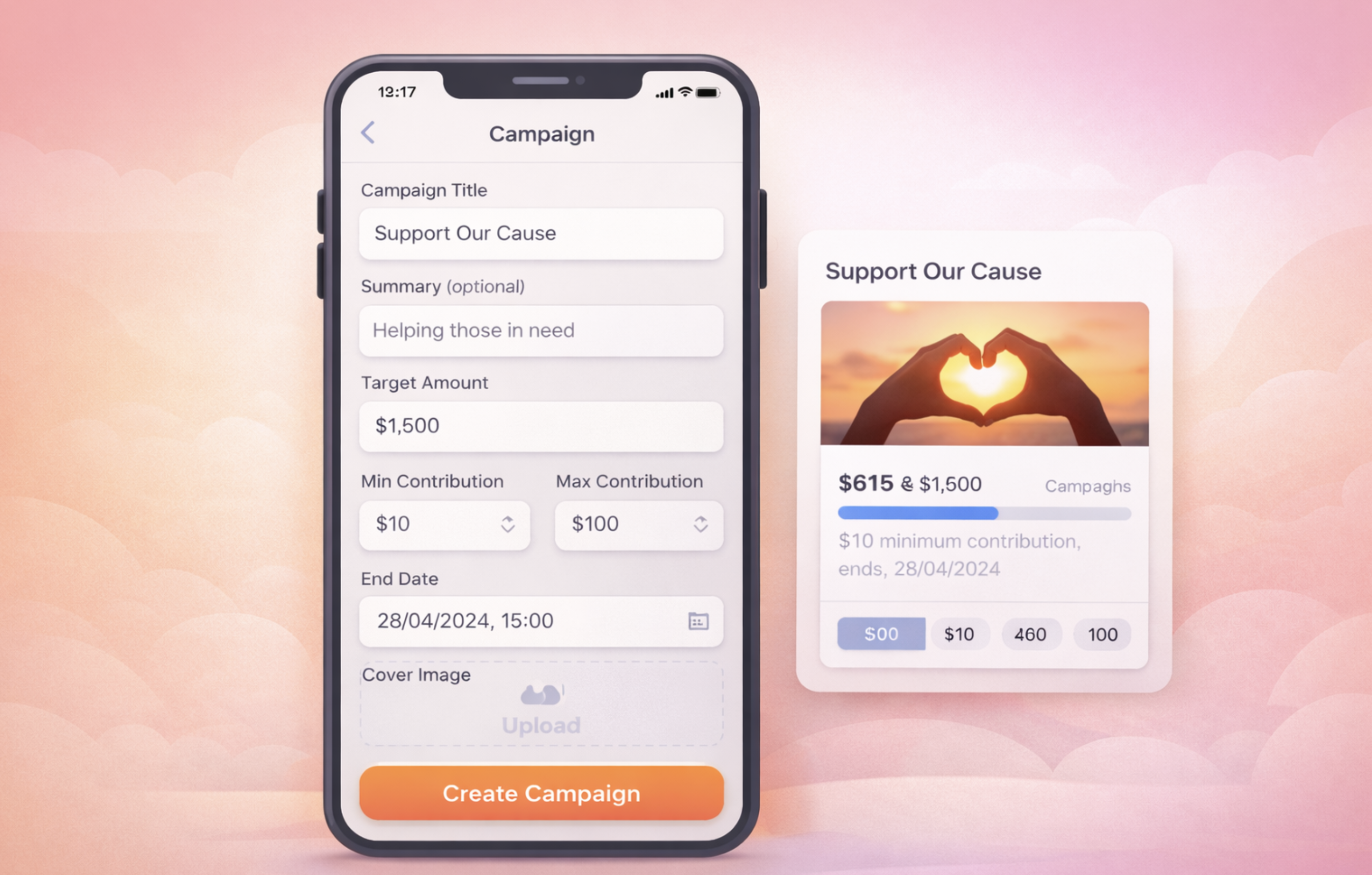
Enter Campaign Details
In the popup window, fill in the following fields:
-
Title: The main message of your campaign
-
Summary: A short description (optional)
-
Target Amount: The total amount you want to collect
-
Minimum / Maximum Contribution: Optional lower and upper limits per donation
-
End Date: A future date and time must be selected
-
Cover Image: JPG or PNG is recommended (optional but provides strong visual impact)
Validation Rules
The platform applies the following validation rules:
-
The target amount must fall within the allowed minimum and maximum range
-
If minimum and maximum contribution values are entered, the maximum must be greater than the minimum
-
The end date cannot be set to a past date
Publish the Campaign
When you click “Create Campaign,” the post is published as a campaign.
Depending on platform settings, the campaign may require admin approval before becoming active.
Notes
-
The campaign feature must be enabled on the platform
-
Campaign creation permissions can be restricted by the administrator to:
-
All users
-
Verified users / creators only
-
Admin only
-
-
Campaigns appear in the feed as a special card displaying progress and donation information

Comments