
How to Sell Products on Dizzy
Learn how to sell products on Dizzy using the built-in shop feature, from product creation and pricing to sales management and earnings tracking.

How to Sell Products on Dizzy
Dizzy’s Shop feature allows you to sell products in various formats, ranging from digital products to live event tickets. Product creation and sales management are handled from the “Products” section within the Settings area.
Step-by-Step Product Creation and Selling
Access the Product Creation Area
Navigate to the “Create Product” section in the Settings menu.
This area is only visible to accounts that have completed creator status, and the shop feature must be enabled.
Choose a Product Type
Dizzy supports multiple product types. Select the one that best fits your needs to open the product form:
-
Scratch Product
-
Book a Zoom
-
Digital Download
-
Live Event Ticket
-
Art Commission
-
Join Instagram Close Friends
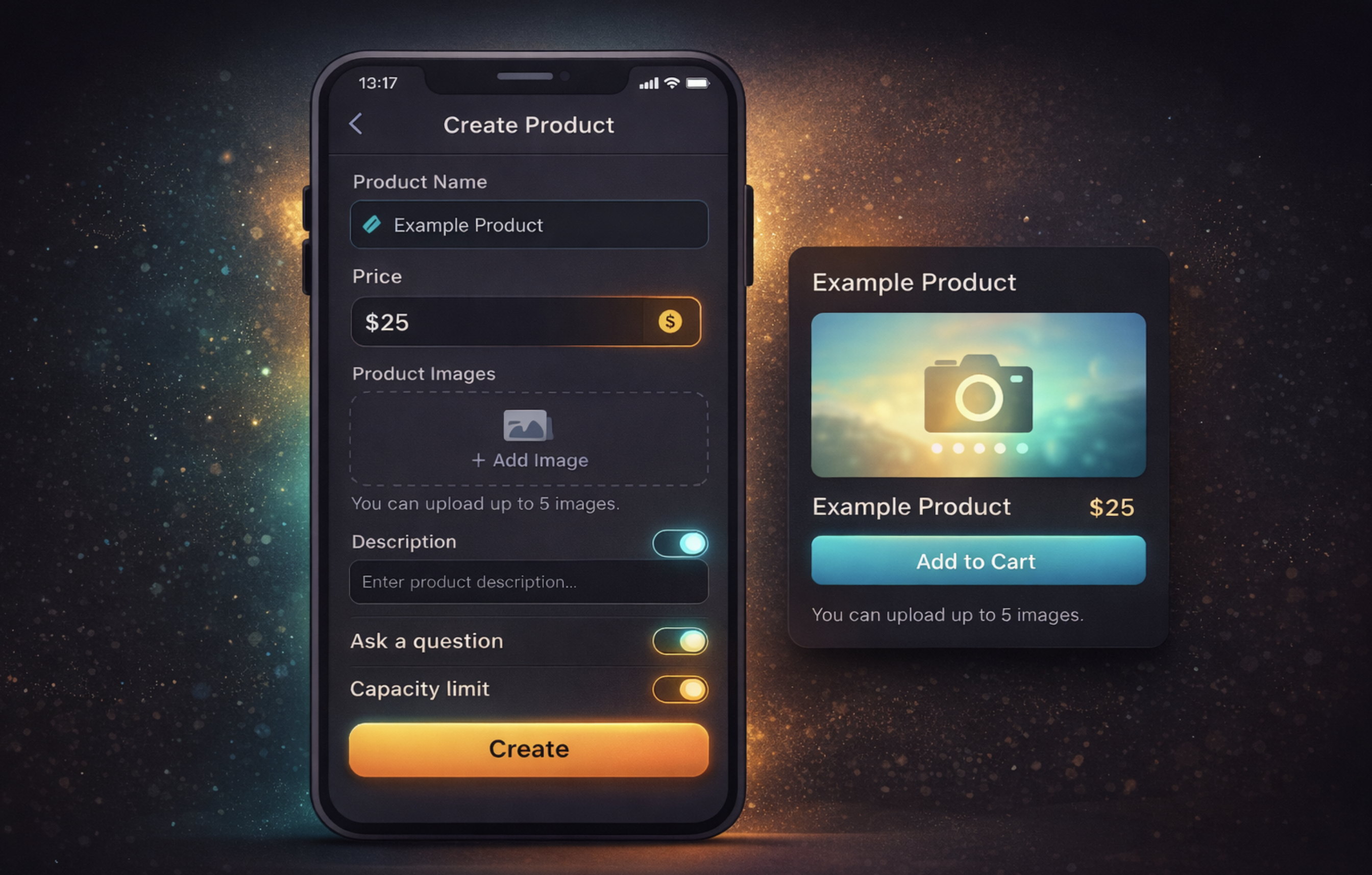
Fill in Product Details
In the product form, complete the following fields:
-
Product name
-
Price
-
Product images (multiple images can be uploaded)
-
Description
-
Confirmation message (shown to the customer after purchase)
Optional Settings
Additional configuration options are available:
-
Ask a question: Request extra information from the buyer
-
Capacity limit: Set a maximum number of sales for the product
Save and Publish the Product
Click the “Create” button to save your product.
Once created, the product becomes ready for publication.
Manage Your Products
From the “My Products” screen, you can view, edit, unpublish, or delete your products.
In the “My Sales” section, you can track sales performance and earnings.
Tip
Product images and descriptions directly influence purchasing decisions. Clear, descriptive, and trustworthy presentation helps increase sales.

Comments