
How to Create a Poll Post on Dizzy
Learn how to create poll posts on Dizzy to collect quick feedback, manage options, control visibility, and engage your community effectively.

How to Create a Poll Post on Dizzy
Dizzy’s poll feature is one of the most practical ways to collect quick feedback from your community. Polls are created directly from the post composer and allow you to clearly define your target audience using visibility options.
Step-by-Step Poll Creation
Open the Post Composer
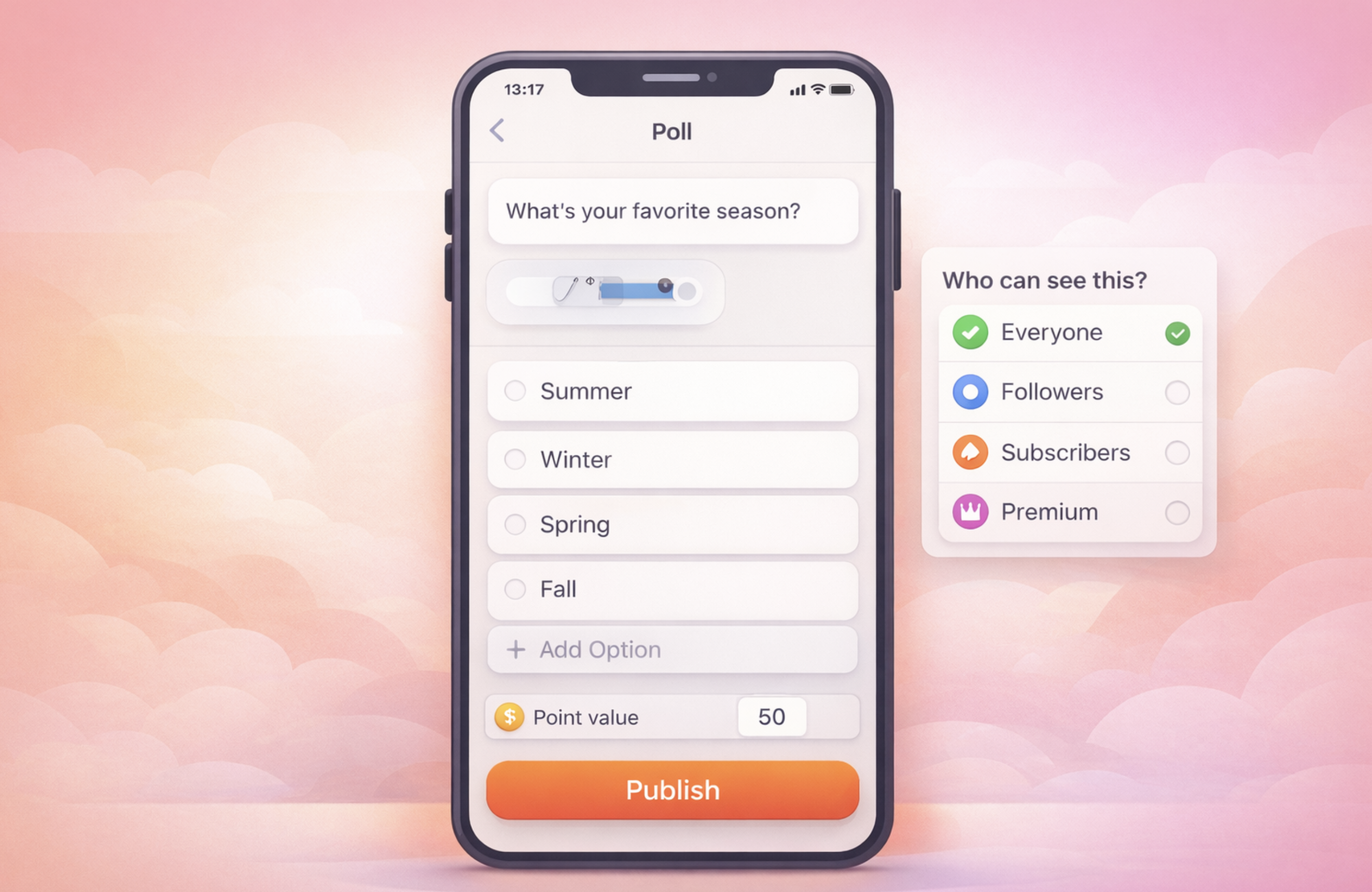
From the main sharing box, open the “Create New” menu and select “Create Poll.”
Write Your Question
Enter a short and clear question in the post text field. The system does not allow publishing a poll without a question.
Add Options
Enter your poll options in the poll builder area. You can increase the number of options using “Add Option.”
The minimum and maximum number of options are defined by platform settings.
Media Usage Rule
Polls cannot be used together with media. When a poll is active, photo or video uploads are disabled.
If media has already been added, the poll must be removed to proceed.
Select Visibility and Publish
From the “Who can see this?” section, choose your target audience:
-
Everyone
-
Followers
-
Subscribers
-
Premium
Click “Publish” to share the poll. Each user is allowed to vote only once.
Tips
-
Keep poll questions short and options clear.
-
Visibility selection determines who can participate in the poll.

Comments